





Live TV Player: M3U8 & Cast is a lightweight app that plays HLS (M3U8) live streams and casts them to compatible devices. It opens M3U8 URLs and local playlist files, lets you organize channels, and provides basic playback controls for stable viewing.
Features
- Open M3U8 streams: Play HLS links and load playlists from URLs or local files with Live TV Player: M3U8 & Cast.
- Casting support: Send video to Chromecast and other compatible cast devices directly from the player.
- Playback controls: Pause, seek, adjust playback speed, and tune buffering settings to match your network.
- Subtitles and audio tracks: Load external subtitle files or switch available audio tracks when provided by the stream.
- Playlist management: Create, edit, and save favorites for quick access to channels.
How to use
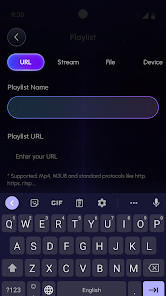
- Paste an M3U8 URL or import a playlist file to load channels into Live TV Player: M3U8 & Cast.
- Select a channel to start playback, then use the cast button to stream to a compatible device.
- Use the player menu to manage playlists, add favorites, or load subtitles.
Live TV Player: M3U8 & Cast focuses on reliable M3U8 playback and simple casting without account setup. For best results use stable network connections and valid HLS links; the app does not provide or host stream content.
Category: Other Publisher: HKL Game Studio File size: 81.00M Language: English Requirements: Android Package ID: com.pro.livetv.player.m3u.cast





















