





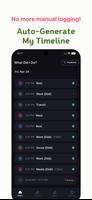


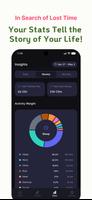
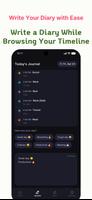

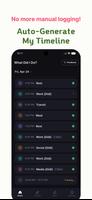
DidI is a smart lifelogging app that quietly maps your day by combining movement, location and app usage into an easy-to-read timeline, making it useful for anyone who wants to recover forgotten moments, keep a daily record without writing from scratch, or better understand how time is spent. The app automatically infers likely activities, compiles a visual timeline and delivers a nightly summary so reflection becomes a low-friction habit rather than a chore. The introduction here explains what DidI does, how it works, and the practical options you can use to control data, appearance and reminders.
Key Features
DidI builds a chronological visual record that stitches together short activity segments, location clusters and foreground app usage. Each timeline entry can include an inferred label (for example: commuting, working, walking), an optional thumbnail map snapshot and a short AI-generated insight at night that highlights patterns from the day. You can attach feelings or short notes to any entry to add context, and nightly summaries include both empathic commentary and objective statistics such as time spent at places, primary modes of movement and app categories used most.
How It Works
The core mechanics are simple and unobtrusive: the app uses background sensors and system APIs to detect motion, coarse or fine locations and active apps, then groups those signals into readable moments. Activity inference is rule- and model-based so entries remain interpretable, and you can correct or rename any moment from the timeline to improve future inference. Weekly and monthly trend reports aggregate those corrected labels to reveal routines, productivity signals and opportunities for small behavior changes.
Controls & Permissions
DidI asks for a small set of permissions to function: background location, activity recognition and optional access to app-usage stats. All permissions are toggleable in the settings panel and you can limit data collection by switching to low-power or foreground-only modes. The app also provides sensitivity and timeline density controls so you decide how granular the reconstructed day should be. If you prefer minimal collection, the app can run with reduced input and still produce a simplified timeline and summaries.
Visual Style & Navigation
The timeline is designed for quick scanning: compact mode shows concise entries for rapid review, while expanded mode displays map snippets, duration bars and any notes you attached. Color-coding helps separate activity types, and a search bar lets you find specific days, places or tags. The interface focuses on readability with adjustable font scaling and a high-contrast theme, and the chronological view supports jumping between day, week and month overviews to spot longer-term patterns.
Progression & Insights
Rather than levels or gamified leaderboards, progression in this app comes from clarity: nightly summaries and weekly trend views act as gentle checkpoints that let you measure consistency. The app highlights repeated routines, identifies outlier days and surfaces simple metrics like average commute time or most frequent locations. Over several weeks you can use these insights to set personal routines or reflection goals; the app’s prompts can be tuned to encourage daily journaling without turning the experience into a burden.
Customization & Privacy
Privacy is central: processing is local-first so most inference happens on your device, and encrypted cloud backup (AES-256) is optional for those who want cross-device continuity. You control what gets uploaded, can permanently delete entries, and choose whether AI summaries are generated locally or by an opt-in cloud service. Visual customization includes theme choices, timeline density, and label preferences to make the timeline look and read the way you prefer.
Accessibility & Offline Use
The app offers adjustable text sizes, clear contrast themes and simple navigation patterns to assist users with different needs. Because most processing is local, core features like timeline creation, note attachment and nightly summaries continue to work offline; network access is only required for optional backups or cloud-based processing you explicitly enable.
Who Should Try It
DidI suits people who want a low-effort record of daily life, those rebuilding memory after busy periods, and anyone interested in discovering patterns in their time without committing to manual journaling. It’s particularly helpful for users who value privacy but still want useful daily insights delivered with minimal setup. Try it to see how an automated timeline and modest nightly reflection can change how you understand your days.
Category: Productivity Publisher: franholdings File size: 47.06M Language: English Requirements: Android Package ID: com.whatdidi.whatdidi





















