




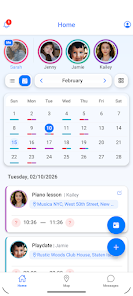
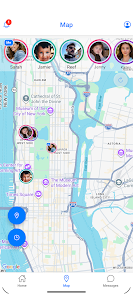
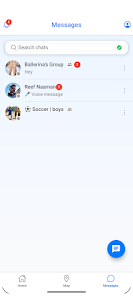
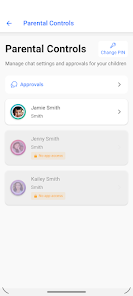
Kidow helps busy families coordinate children's schedules by syncing shared calendars, sending arrival confirmations and reminders, and clarifying pickup responsibilities so parents and caregivers spend less time calling or texting. Designed for households, grandparents, babysitters and activity groups, Kidow brings school events, lessons and playdates into one place and reduces confusion around who is picking up, who is dropping off, and when to leave. The app is built to be straightforward: set up an event, assign a responsible person, and rely on timely prompts and arrival notifications to keep everyone informed.
What Kidow does
Kidow provides a central family calendar that syncs with personal calendars on a caregiver's device to minimize duplicate entries and missed appointments. Events can be created as one-off items or recurring schedules for classes and carpools. Each event shows assigned pick-up or drop-off responsibilities and optionally enables automatic leave-time reminders based on the event location and typical travel time. Arrival notifications let other family members know when a child has reached school, home, or an activity, providing a simple peace-of-mind check without extra messages.
Core features and controls
Adding and editing events in Kidow uses simple, familiar mobile gestures: tap to create an event, pick a date and time, choose participants, and set a reminder lead time. Assignment controls let you nominate who will pick up or drop off for a specific event and update responsibilities if plans change. Notification preferences include how and when alerts are delivered, and quiet hours can be set so reminders do not interrupt sleep or work time. A one-tap SOS button broadcasts an emergency alert to the family group so whoever is available can respond quickly.
Progression and daily use
Kidow is designed for repeated daily use rather than a one-time setup. Families typically start by setting up profiles for regular caregivers and adding routine events such as school days, weekly lessons, and weekend activities. Over time the calendar becomes the primary source of truth for coordination: recurring events reduce administrative overhead, and historical arrival logs help identify patterns in timing. The onboarding process encourages adding key contacts and enabling the most useful reminders to make adoption across multiple caregivers smoother.
Visual style and customization
The app uses a clean, family-friendly interface with color-coded events and simple icons to clarify roles at a glance. Parents and caregivers can personalize event colors, photos or initials for participants, and adjust how much detail appears in notifications. Calendar views range from day and week overviews to a compact agenda style so users can pick the layout that fits their routine. Small customization options — such as preset reminder times and default pickup assignments — speed up event creation for frequent tasks like carpools.
Level structure and group organization
Kidow organizes activity schedules into shared family groups or care teams so each household or activity group has its own calendar space. Within a group, you can set organizers who manage events and contributors who add or edit items. This structure supports typical family layers — parents, extended family, babysitters and coaches — without overwhelming a single view. Clear role labels reduce misunderstandings about authority and responsibility when plans change.
Offline use and reliability
Kidow keeps a local cache of recent calendar data so users can view schedules and see assigned responsibilities even when network connectivity is limited. Reminders and arrival confirmations rely on timely network access to be most accurate, but the app queues updates and sends them when the device reconnects. Location-based arrival notifications use device location services and reasonable thresholds to avoid false alarms; users can disable location features if they prefer not to share live position data.
Accessibility and user experience
The app emphasizes clear typography, simple layouts, and touch targets sized for quick use during a busy day. Settings include adjustable text size and options compatible with common screen readers to make the experience accessible for caregivers with different needs. Notifications and alerts are designed to be concise and actionable so that a caregiver can confirm or reassign responsibilities with minimal steps.
Limits and practical notes
Kidow is most effective when all caregivers adopt and regularly update the calendar; inconsistent use can reduce accuracy of assignments and reminders. Location-based arrival features require device location services and network connectivity, which can affect timing or precision in some situations. The app provides controls to manage who can see location and arrival information to balance convenience with privacy concerns.
Why families use it
Families choose Kidow to reduce everyday coordination friction: fewer calls and texts, clearer visibility of who is responsible for pickups, and automated reminders that improve timing for carpools and activities. The combination of a shared calendar, arrival confirmations and a simple emergency alert gives caregiver teams a practical tool for keeping schedules running smoothly and reducing last-minute stress.
Category: Lifestyle Publisher: BlueGuru File size: 120.00M Language: English Requirements: Android Package ID: com.blueguru.activonme





















